
Videoleap App: AI Video Editor
In-app purchases

star
1.99L reviews

Rated for 12+
info
1Cr+
Downloads


About this app
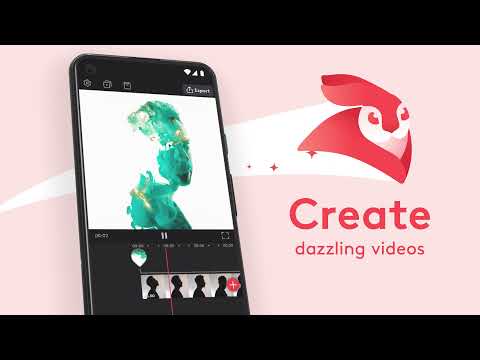
Embark on your AI video editing journey with Videoleap, AI video editor and reels maker app. This easy-to-use content creator app allows you to transform and edit videos into professional-quality clips. Add music to video or upscale video effortlessly, enhancing your creations. Whether you're a small business owner, influencer or a content creator, this AI movie maker with 24fps HD video effects has you covered for creating aesthetic reels, stories, shorts. Elevate your content with our reel maker.
Experience the power of AI with Videoleap's new AI video maker and AI video generator features. Apply 24fps AI effects and AI filters to your videos, transforming everyday scenes. Our AI video editor allows you to create stunning AI videos or intros with ease.
Whether you’re an experienced content creator and influencer or a beginner, Videoleap has something for everyone. Edit movies and stories, use AI video enhancer, apply edits to reels, create YouTube shorts or films for Instagram, YouTube or TikTok. Upscale videos to a desired format with pro-quality video editing app. Apply 24fps video filters and change video backgrounds with a feature-rich movie maker.
Edit Videos with Professional Tools:
– Add effects on videos, intros, reels & shorts, apply after effects & captions
– Edit/cut videos or clips to format: easily resize or trim your videos like a video master
– Add images or intros: enhance videos with intro maker without a watermark
– Intuitive timeline with zoom: frame by frame video editing & lip sync
– Rotate or crop, adjust the orientation or size
– Slideshow & movie maker: add music to video slideshow
– Speed up videos, add slow motion, apply blur effect or zoom in to add more dimension to your clips
- Use Videoleap 4k video editor as an outro maker, put music on video, trim videos
Elevate your business and become a video content creator:
– Get your content noticed on social media, become a video master by promoting & editing reels with Videoleap’s Reel maker & editor
– Save time by using the movie maker for editing your video ads with one-tap business video templates
– Create impressive ads with easy graphic design video templates & editing tools for your reel, clip, or story
Get Inspired with Intro Maker, Feed, Templates, Shorts & Reel Editor, and Movie Maker:
– Discover shorts & reels templates used by other video creators
– A template reveals the behind the scenes of viral videos, that you can easily apply to reels, story, or shorts
– Learn on-the-go & become a video creator with stunning content for Instagram or social pages, retouch your appearance in video
– Get to know keyframes, special effects, captions, and transitions of editing tools
Special Video Effects and Filters:
– Blur Effect Video Editor, Prism, Defocus, Pixelate, Chromatic Aberration
– Text and captions, fonts for captions, emojis, shadows, colors, opacity, and blending options
– Adjustable filters and effects: vhs video effects, 24fps video filter, glitch video effect
Cinematic Compositions:
– Create double exposures and artistic looks by mixing videos and images together
– Layer-based editing: add and rearrange videos, effects and images
– Customize layers with transformation, masking, and blending modes
Precise Video Editing:
– Time lapse video maker: speed up video
– Slow motion video maker: slow down any video
– Create stop motion videos
– Edit videos by cutting, trimming, splitting, duplicating, flipping, and mirroring
– Apply filters, adjust brightness, contrast, and saturation
– Change aspect ratio and automatically fit clips, loop videos
Videoleap is a part of Creative Suite, a wide range of free AI video editor and image editing apps:
Facetune: selfie photo & AI video editing
Photoleap: picture editor for blending & animation
Videoleap AI 4k video maker Terms of use: https://static.lightricks.com/legal/terms-of-use.html
Videoleap AI 4k video maker Privacy policy: https://static.lightricks.com/legal/privacy-policy.html
AI video generator: clips/movie editing, maker & creator, AI reels editing app
Updated on
Safety starts with understanding how developers collect and share your data. Data privacy and security practices may vary based on your use, region and age. The developer provided this information and may update it over time.
- No data shared with third partiesLearn more about how developers declare sharing
- This app may collect these data typesLocation, Personal info and 6 others
- Data is encrypted in transit
- You can request that data be deleted


Ratings and reviews
1.95L reviews

Mihir Shah
- Flag inappropriate
2 November 2026
this used to be my favourite app. it had super transition effects and great music collection till last year . I had also purchased their subscription. but now the transition and effects are not that catchy .
5 people found this review helpful
Lightricks Ltd.
2 November 2026
We appreciate your feedback and will be sure to pass this along to the rest of the team. If you have any additional feedback, feel free to reach out; tap the Profile tab, then tap the Settings icon in the top right, then tap 'Contact Us'.

Micki Woodford
- Flag inappropriate
- Show review history
25 October 2026
It's becoming less useful. There are zero templates of value. Everyone can turn videos into templates and they shouldn't. A vetting process would be helpful. Looking for a new editor.
1 person found this review helpful
Lightricks Ltd.
26 October 2026
Thank you for your feedback on the templates. For any further assistance, please contact our support team through the in-app option.

felixdeadcat famouslivingdead
- Flag inappropriate
- Show review history
30 October 2026
𝘏𝘪, 𝘐 𝘵𝘩𝘪𝘯𝘬 𝘵𝘩𝘦 𝘢𝘱𝘱 𝘯𝘦𝘦𝘥𝘴 𝘢 𝘭𝘢𝘵𝘦𝘴𝘵 𝘶𝘱𝘥𝘢𝘵𝘦. 𝘤𝘰𝘴' 𝘪𝘵𝘴 𝘥𝘰𝘦𝘴𝘯'𝘵 𝘰𝘱𝘦𝘳𝘢𝘵𝘦 𝘢𝘴 𝘯𝘰𝘳𝘮𝘢𝘭. 𝘧𝘦𝘸 𝘦𝘳𝘳𝘰𝘳𝘴 𝘭𝘪𝘬𝘦 𝘢 𝘨𝘳𝘦𝘦𝘯 𝘴𝘤𝘳𝘦𝘦𝘯 𝘣𝘭𝘪𝘯𝘬𝘦𝘳 𝘬𝘦𝘦𝘱𝘴 𝘢𝘱𝘱𝘦𝘢𝘳 𝘦𝘷𝘦𝘳𝘺𝘵𝘪𝘮𝘦 𝘪𝘯 𝘵𝘩𝘦 𝘷𝘪𝘥𝘴 𝘪 𝘩𝘢𝘷𝘦 𝘦𝘥𝘪𝘵𝘦𝘥.
4 people found this review helpful
Lightricks Ltd.
30 October 2026
We appreciate your feedback and acknowledge the errors you're facing, like the green screen blinking during your edits. For further assistance, please reach out to our support team via the in-app support option. Your experience is important to us, and we're here to help you get back to enjoying the app!
What's new
Hello Videoleapers,
New Drop! Dive into endless visuals and forever-scrolling collages of your favorite photos with AI Panorama.
Feel free to give us some feedback at: videoleap.android.support@lightricks.com
Yours,
The Videoleap Team
App support
About the developer
LIGHTRICKS LTD
support@lightricks.com
30 Yesha'yahu Leibowitz
JERUSALEM
Israel
+972 55-319-4847


